1. BoostWP Originals
  2. BoostWP
Q&A free download
// Latest Version

Q&A Free

4,661 downloads

The thing we noticed back in 2013, when Q&A first went on this site, was that a page titled with the exact question someone types into Google ranks for that question.

Download v2.1.2Login to download free
Built and maintained by BoostWP Auto-updates with Boost Updater Unlimited websites
// Version //2.1.2
// Updated //Aug 19, 2026
// Developer //BoostWP
// Report //Some issue
// Download

Free Download Q&A v2.1.2 (Latest Version)

Log in with a free account and the Download button gives you the zip. It's the file we built, nothing changed.

// Changelog

What's New in Q&A v2.1.2

v2.1.2Released Aug 19, 2026
  • ReleaseWe haven't written up the v2.1.2 notes yet. If you need to know what changed before you update, ask in a ticket.
// Screenshots

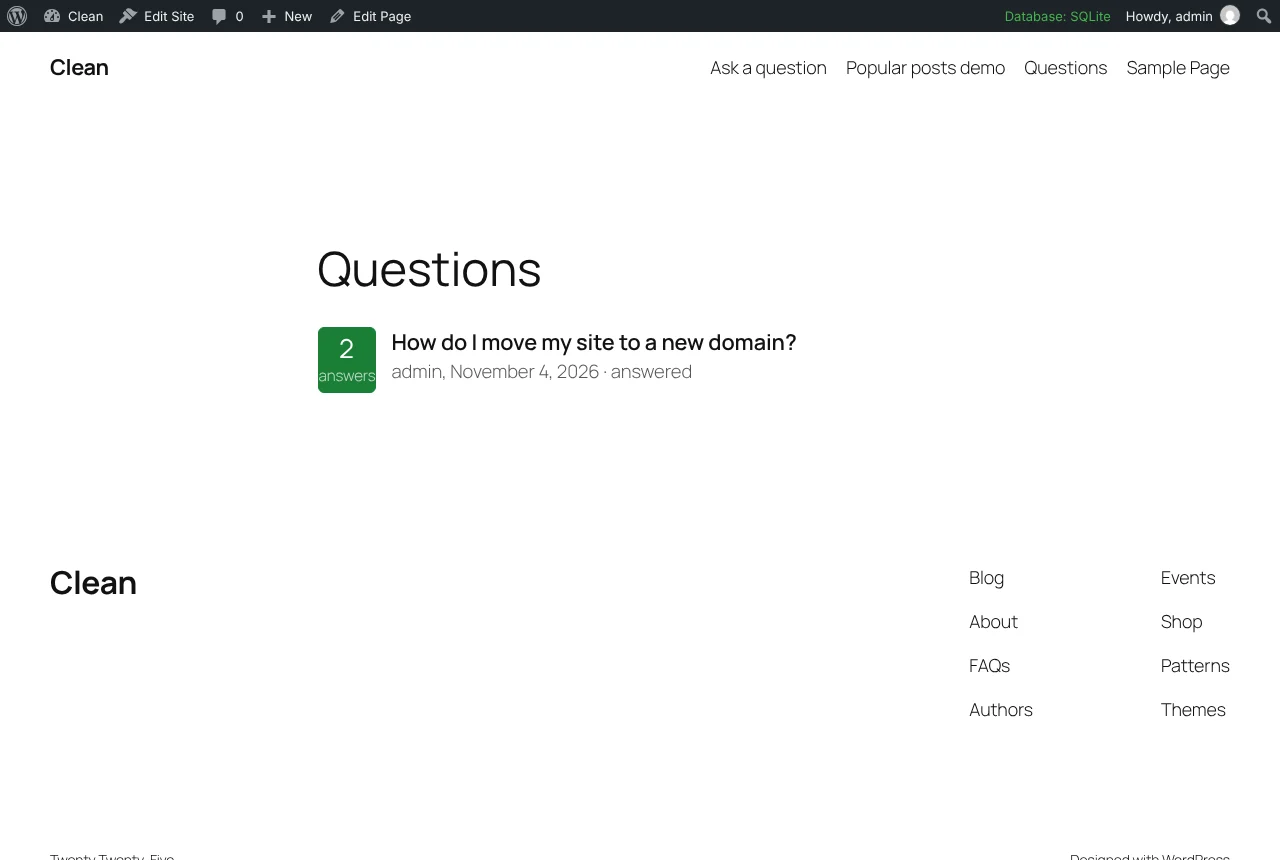
Q&A on a real site

Taken on a plain WordPress install with the current version. Click one to open it full size.

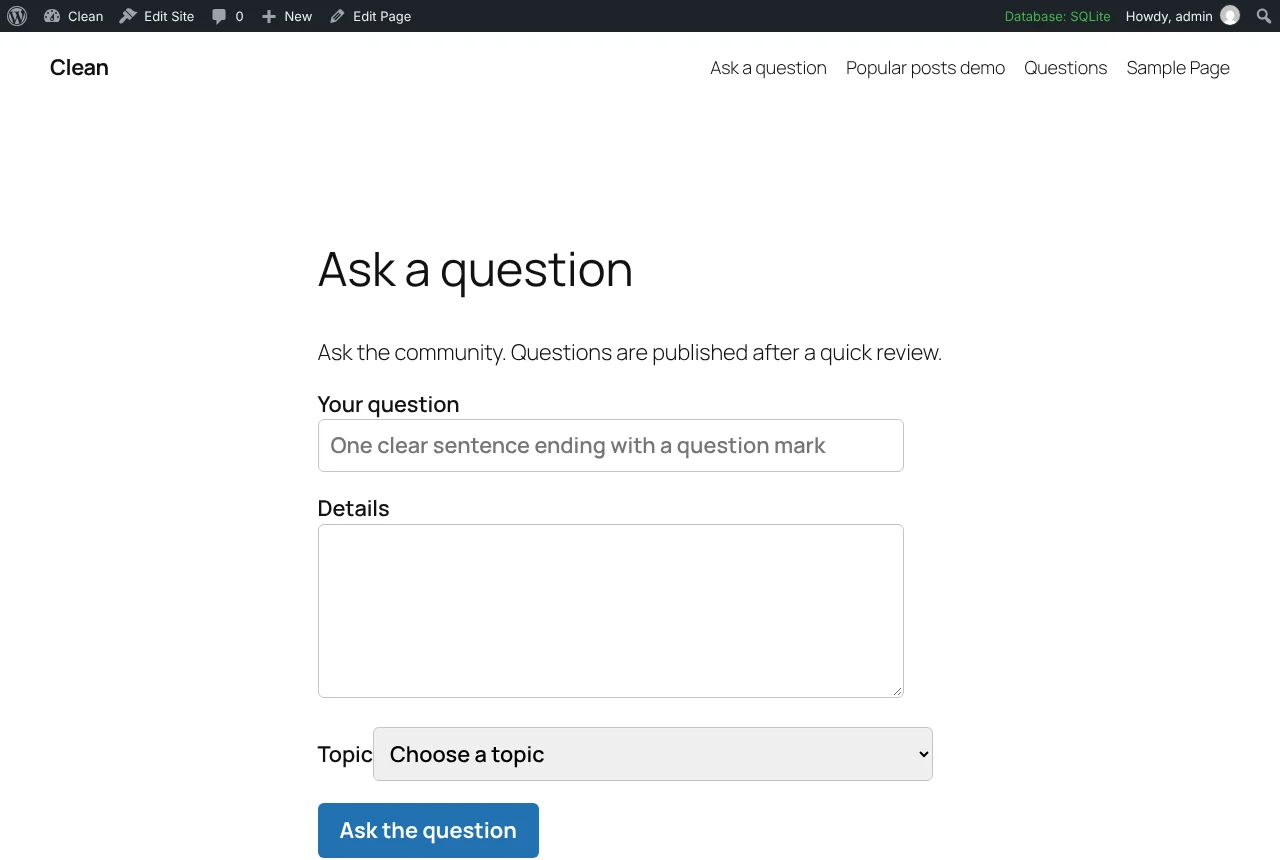
Q&A: The ask form
The ask form.
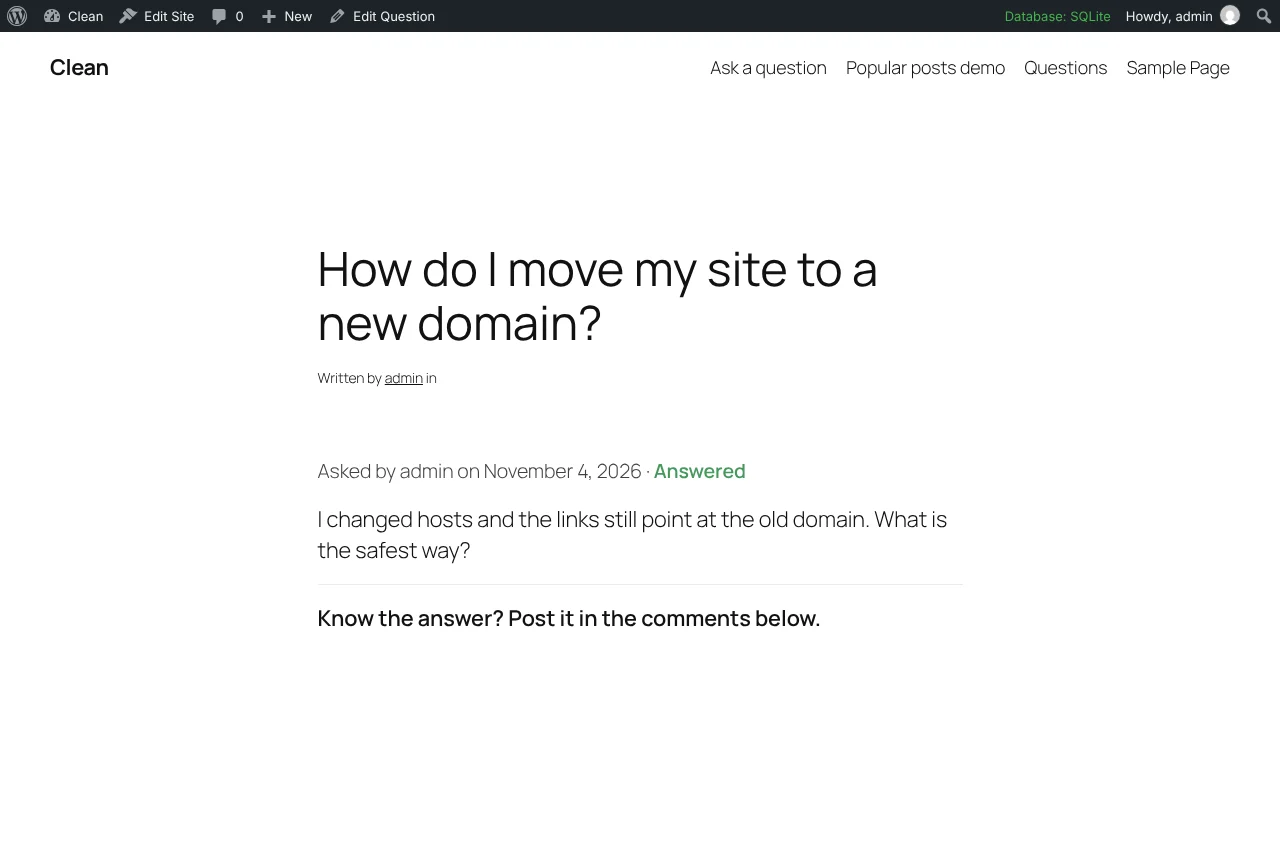
Q&A: A question page with an accepted answer
A question page with an accepted answer.
Q&A: The questions list in the admin
The questions list in the admin.

Questions from readers answered in the comments

The thing we noticed back in 2013, when Q&A first went on this site, was that a page titled with the exact question someone types into Google ranks for that question. Readers write the title for you. Q&A is the small plugin that collects those questions and gives each one a page.

The 2.0.0 download is a rewrite for WordPress 7 and PHP 8. We looked at forking one of the big forum-style Q&A plugins and decided against it; what you get here is one PHP file and one stylesheet.

Asking

Put [qa_ask] on a page. Guests enter a name and email, then a title, details (with a small set of allowed HTML) and an optional topic. Under Q&A, Settings you choose whether anyone may ask or only logged-in users, and whether new questions wait as pending for your approval or go live at once. Users who can already publish posts skip moderation. Guest names and emails are stored as private post meta on the question and never displayed.

The form has a nonce, a honeypot, and a rate limit of five submissions per ten minutes per IP. No captcha service, no external call.

Answering

Answers are ordinary WordPress comments, with the comment form relabelled “Post an answer”. This is the decision the whole plugin rests on. Your existing anti-spam plugin, your notification emails and your moderation queue all keep working, because to WordPress an answer is a comment on a post of type question.

The person who asked, or anyone with edit_others_posts, sees a nonce-protected “Mark as accepted answer” link on each approved answer. The accepted answer is sorted to the top with a badge, and the question shows as Answered on its page, in the list, and in a column on the admin screen.

Listing

  • Archive at /questions/, single questions at /question/slug/
  • [qa_list number="20"] with topic and open or answered filters
  • A hierarchical Topics taxonomy
  • Questions appear in site search and feeds like any post type, and the block editor works for editing them

What is not here

No voting on answers. The accepted mark is the only quality signal, and for most sites that is enough. No reputation points, no user profiles, no private messages. If you want a Stack Overflow clone, that is a different and much larger plugin. There is no frontend JavaScript at all.

One bug worth mentioning from the testing: the post-submit redirect used the referer, which WordPress drops when it matches the current URL, so the form now carries its own return URL, validated with wp_validate_redirect. In the test we sent a forged return URL pointing at another host and it was replaced with the home URL. Tested on WordPress 7.1.4 and PHP 8.3; needs WordPress 5.8 and PHP 7.4.

// Installation

How to install Q&A

  1. 01

    Download the zip

    Log in and click Download on this page. Keep it zipped.

  2. 02

    Upload the plugin

    Plugins, Add New Plugin, Upload Plugin, pick the zip, Install Now.

  3. 03

    Activate

    Click Activate. Then put [qa_ask] on a page so people can ask, and keep an eye on the Questions menu for the review queue.

  4. 04

    Keep it updated

    With Boost Updater installed, Q&A updates from Dashboard, Updates like any other plugin. Without it, come back here for the next version.

// Technical Details

Q&A specifications

// Version //2.1.2
// Last updated //Aug 19, 2026
// Developer //BoostWP
// Licence //GPL v2 or later
// Requires //None
// WordPress //5.8 or later
// PHP //7.4 or later
// FAQ

Q&A Questions

What people ask about Q&A before and after they install it.

Ask about Q&A
01What does the free account get me?

The current version of Q&A and every other plugin here. Older versions and automatic updates are the membership part.

02Can answers be voted on?

Not in this version. The accepted-answer mark is the quality signal.

03Where do guest askers' emails go?

Stored as private meta on the question. Never displayed.

04Can I put it on client sites?

Yes, and you don't have to tell us. The GPL has no site limit.

05Is the zip modified in any way?

No. It's the file we built, scanned for malware and uploaded as is.

06How do I get updates?

Members download new versions from this page, or let Boost Updater do it from the WordPress dashboard.

Q&Av2.1.2 · 4,661 downloads
Download v2.1.2Login to download free