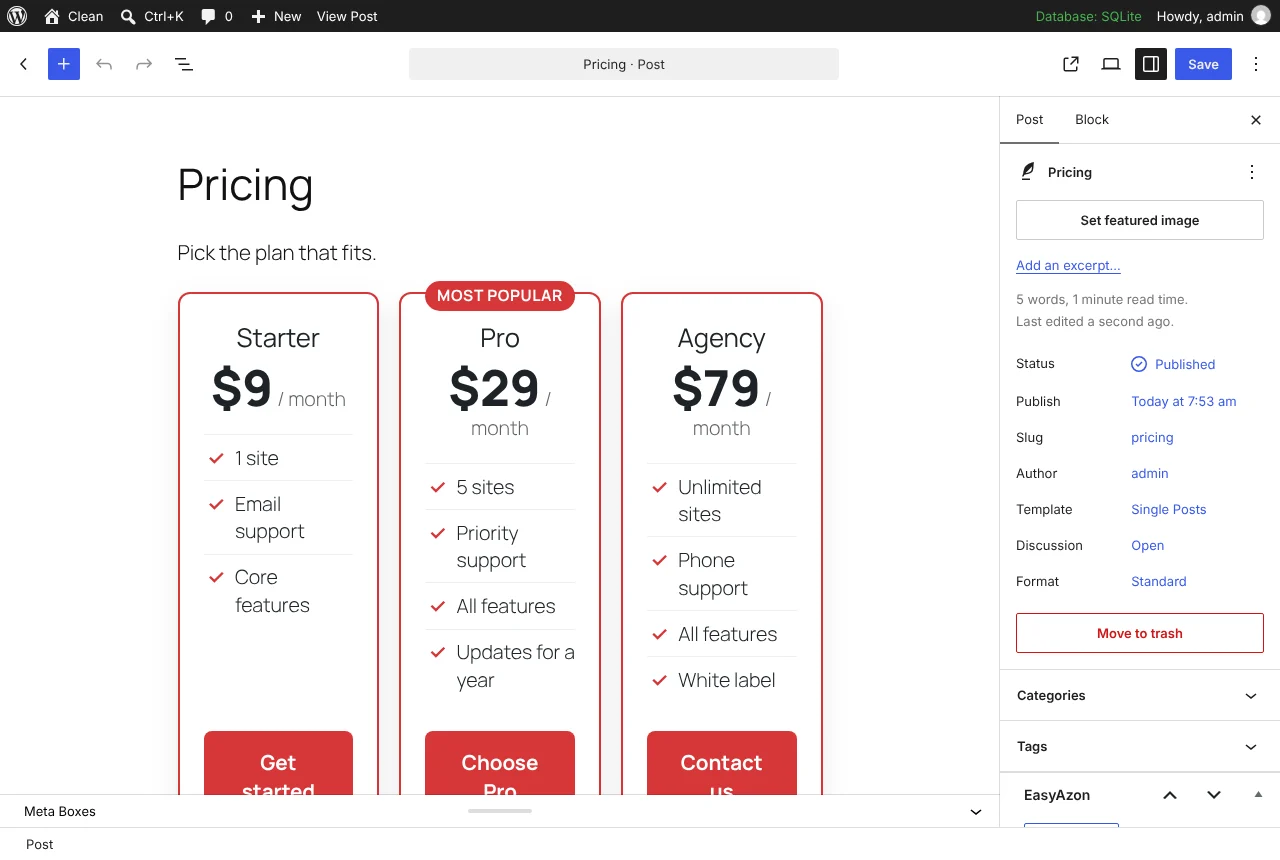
One block for a pricing table
We first sold Price Tables here in July 2013, when it came with a visual editor and a set of pre-built designs. The 2.0.0 version drops all of that for a single block in the editor. It is a design-only plugin: it draws a pricing table and does nothing else, and we think that is the right size for it.
What you fill in
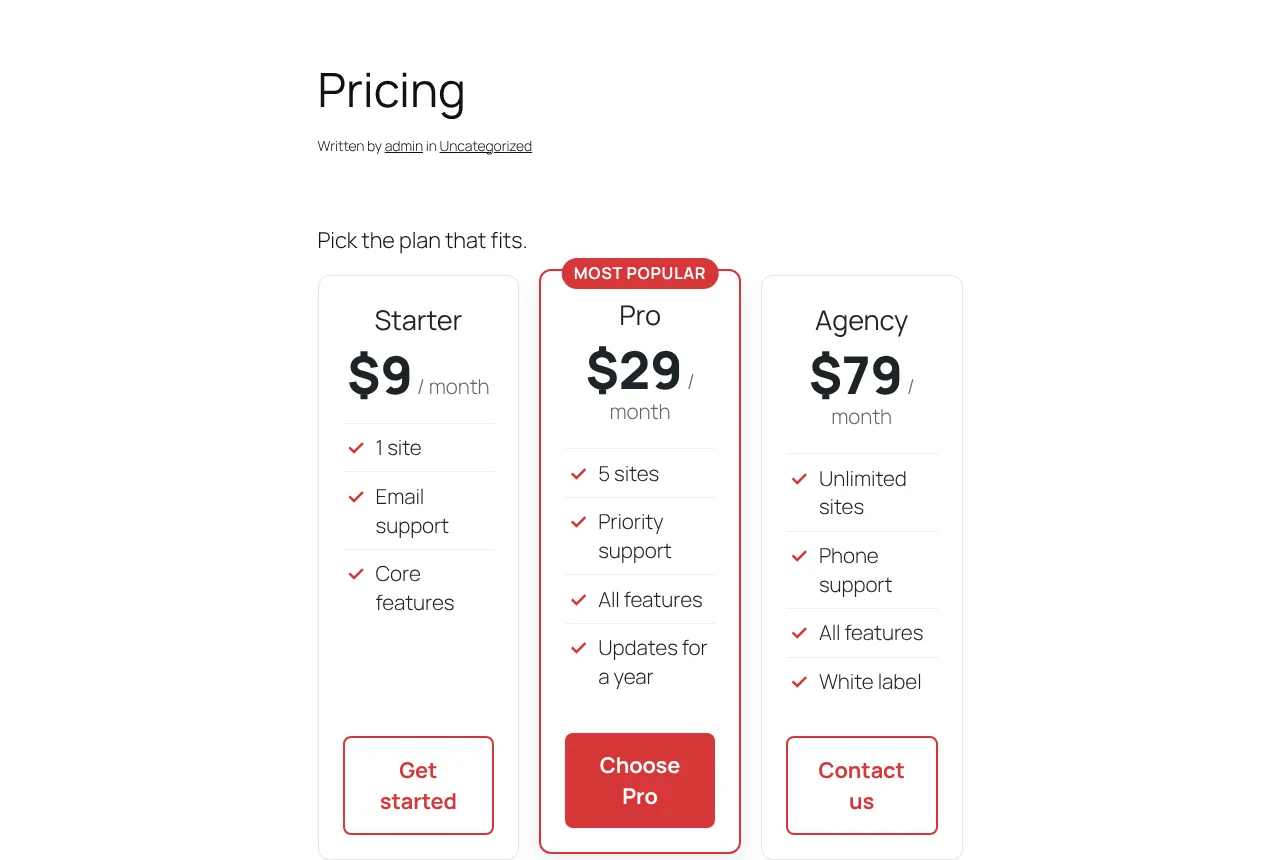
Add the “Price Table” block to a page. In the block sidebar, a slider sets two, three or four columns, and each column gets a plan name, price, billing period, a feature list, button text and URL, and an optional badge such as “Most popular”. Flip the highlight toggle on the plan you want people to pick: that column is raised and outlined in the accent colour, which is the one other setting. Start a feature line with - and it shows greyed out, the usual way of saying “not included”.
The editor shows the same output the frontend will, through ServerSideRender, so there is no surprise when you publish.
How it renders
price-tables/table is a dynamic block. Only the attributes (the columns array and the accent colour) are saved in post content; the markup is built in PHP on each request with every value escaped. During testing we put a <script> tag in a plan title, a javascript: URL on a button and a malformed accent colour: the script was escaped, the URL dropped, and the accent fell back to the default.
- CSS grid, columns stretch to equal height
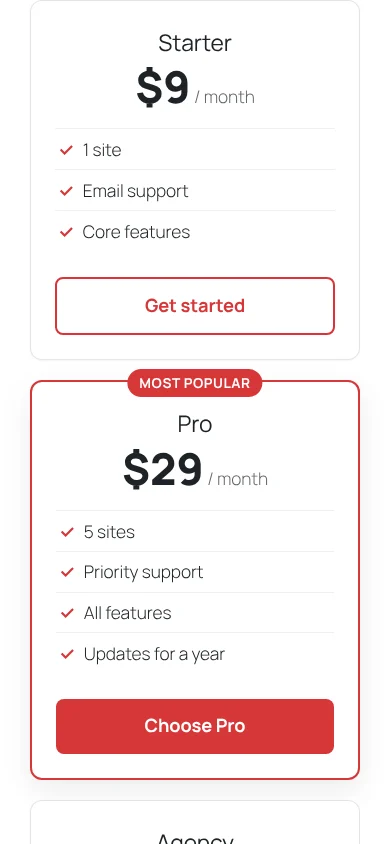
- Two columns under 782 px, one column under 520 px, checked at 390 px with no horizontal overflow
- Wide and full alignment
- Inherits your theme’s fonts
- No JavaScript on the frontend, no tracking
Styling it
Every element carries a price-tables-* class, and the accent colour is written to the wrapper as the CSS variable --price-tables-accent. If you want a different look, override those in your theme’s stylesheet; there is no theme picker in the plugin and we would rather keep it that way than ship fifteen skins you will not use.
What it does not do
It is a block, so it does not work in the classic editor. There is no comparison matrix with rows of ticks across products, no toggle between monthly and yearly, and no connection to WooCommerce or any payment plugin; the buttons are plain links to wherever you point them. Needs WordPress 6.0 and PHP 7.4 or newer; tested on WordPress 7.1.4 with a block theme and PHP 8.3.