1. BoostWP Originals
  2. BoostWP
Blurlock free download
// Latest Version

Blurlock Free

1,521 downloads

Blurlock has been on this site since July 2013.

Download v2.0.3Login to download free
Built and maintained by BoostWP Auto-updates with Boost Updater Unlimited websites
// Version //2.0.3
// Updated //Jul 22, 2026
// Developer //BoostWP
// Report //Some issue
// Download

Free Download Blurlock v2.0.3 (Latest Version)

Log in with a free account and the Download button gives you the zip. It's the file we built, nothing changed.

// Changelog

What's New in Blurlock v2.0.3

v2.0.3Released Jul 22, 2026
  • ReleaseWe haven't written up the v2.0.3 notes yet. If you need to know what changed before you update, ask in a ticket.
// Screenshots

Blurlock on a real site

Taken on a plain WordPress install with the current version. Click one to open it full size.

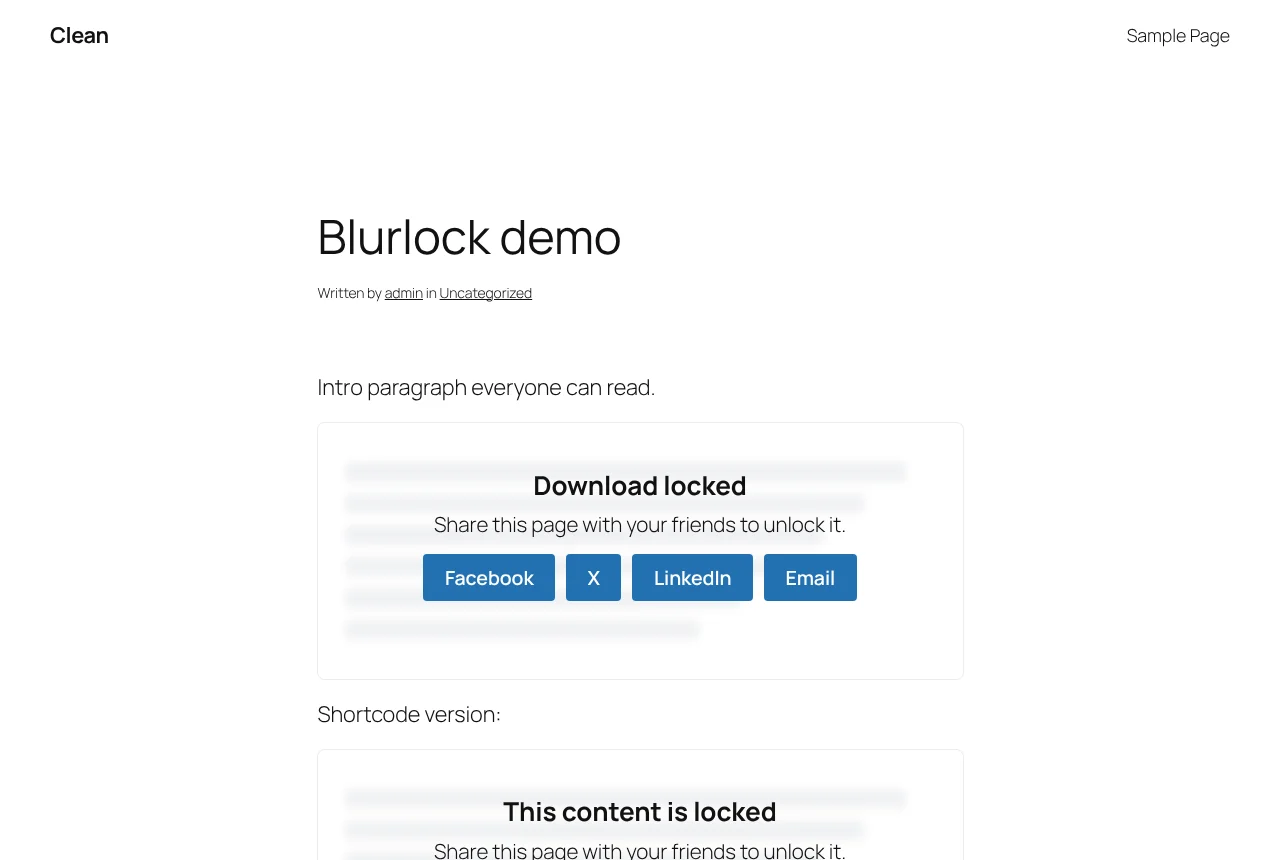
Blurlock: A locked section on the front end
A locked section on the front end.
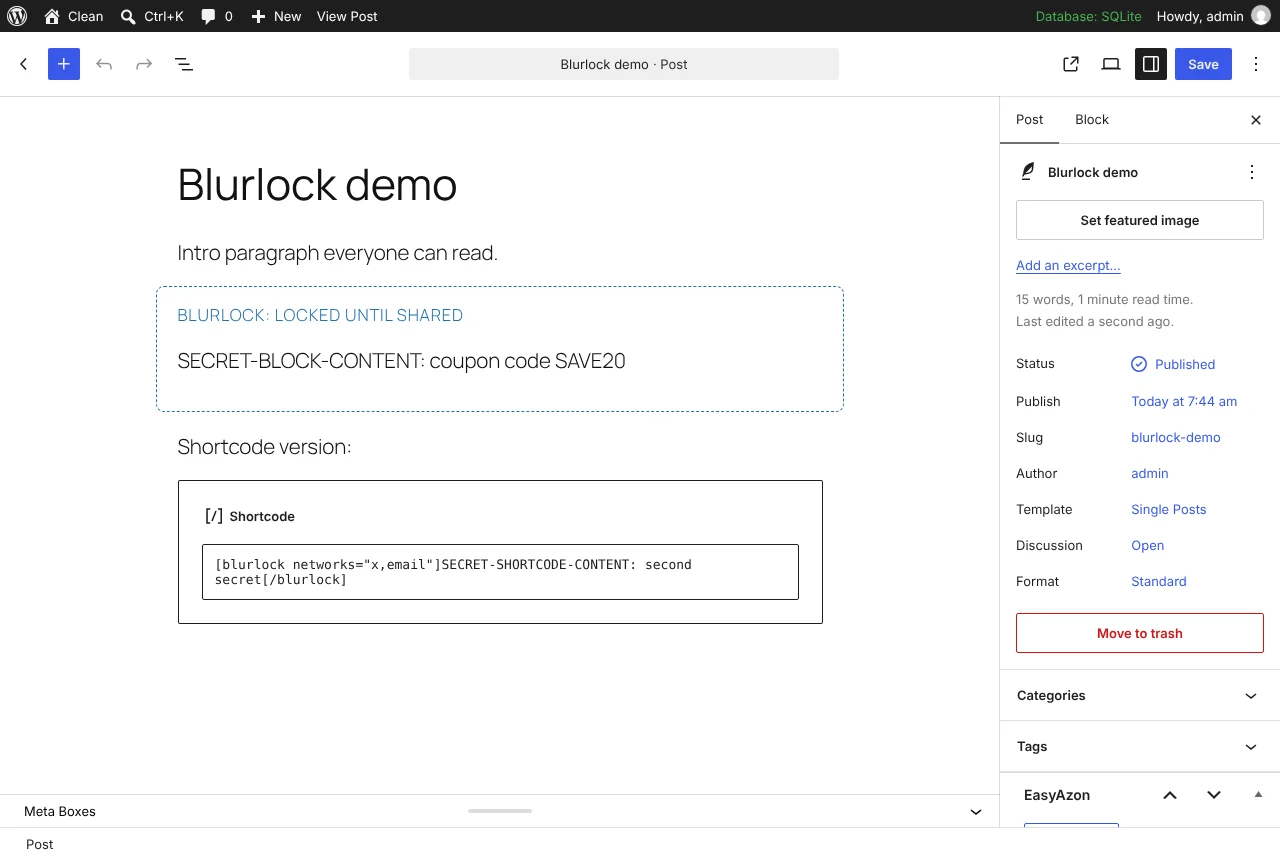
Blurlock: The Blurlock block in the editor
The Blurlock block in the editor.
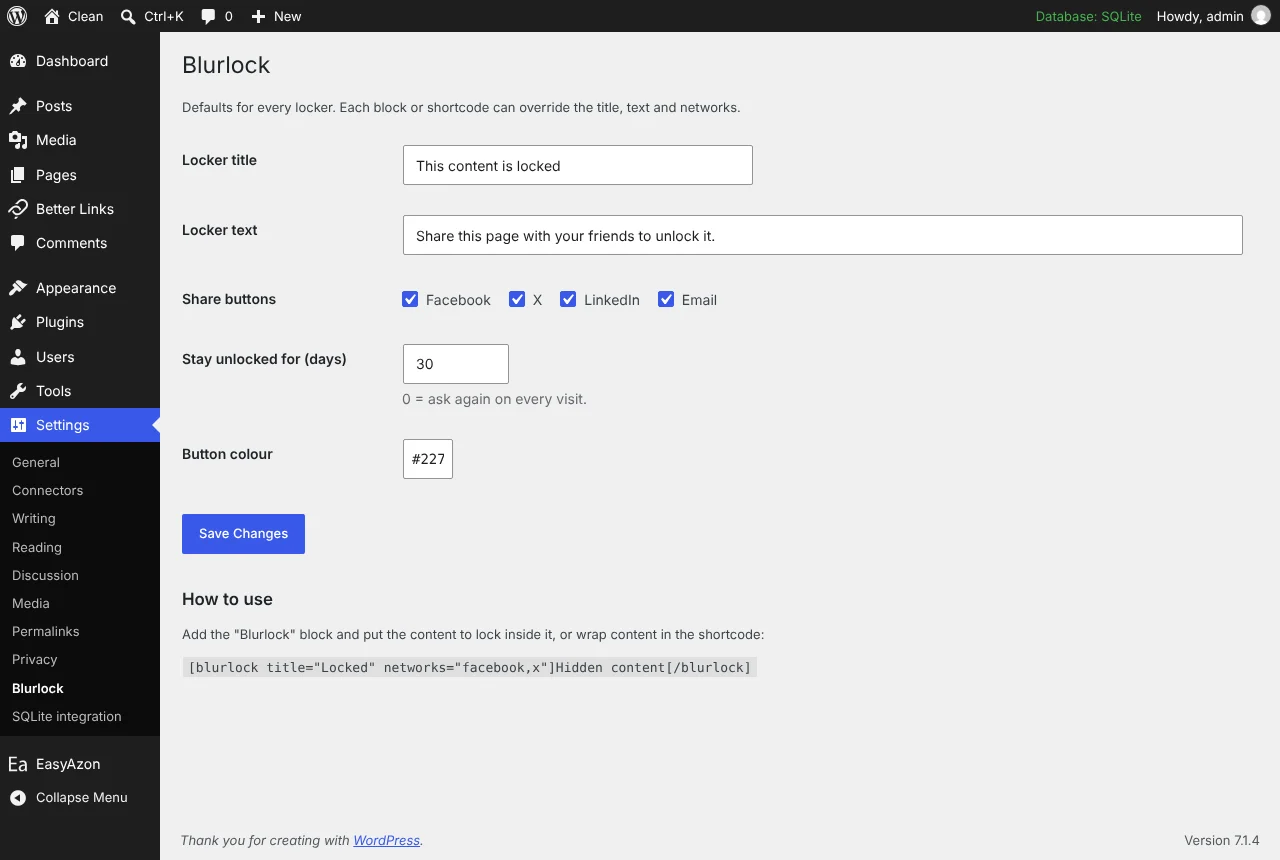
Blurlock: Blurlock settings page
Blurlock settings page.

Content that loads after the share

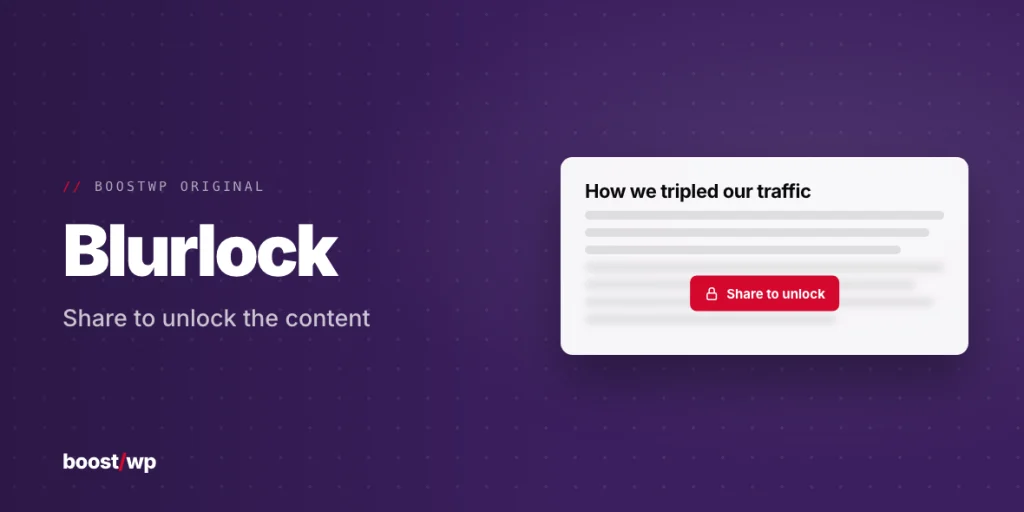
Blurlock has been on this site since July 2013. The original wrapped a shortcode around a paragraph and blurred it until the visitor pressed a Facebook Like, a retweet or a Google +1 button. Two of those three buttons no longer exist, which tells you how long ago that was. The 2.0 on this page is new code, written in 2026 for WordPress 7 and PHP 8, with the same idea and a different mechanism underneath.

How it works now

Wrap a download link, a coupon code, the second half of a tutorial or any set of blocks in the Blurlock block (it uses InnerBlocks, so anything goes inside). Visitors see blurred placeholder bars, a short message and share buttons for Facebook, X, LinkedIn and email, any mix per locker. When they click one, the share window opens, the page waits four seconds and then asks a REST endpoint for the real content, which loads in place. A first-party cookie remembers it for the number of days you set, so later page loads render the content straight away.

The part we care about most: the locked content is never sent to the browser until the share happens. It is not hidden with CSS and it is not in the page source, so view-source shows nothing. The endpoint checks a token derived from the post ID and the locker’s position, confirms the post is published, public and not password protected, then re-renders that locker’s inner content through the normal content filters and returns it.

Settings and placement

Under Settings, Blurlock you set the default title, text, networks, duration and button colour once; every locker can override its title, text and networks. Classic editor users get [blurlock title="Locked" networks="facebook,x"]hidden content[/blurlock]. Several lockers can sit in one post, and lockers nested inside other blocks are found.

  • Logged-in editors see the content when previewing
  • Feeds are never locked
  • Caching plugins are fine: the locked page is identical for everyone, and the cookie only changes what one visitor sees later
  • No tracking, no external scripts, no accounts

The honest limit

No site can verify that a share actually happened. The networks do not report it back, so like every social locker ever made, Blurlock works on the honour system: a visitor who opens the share window and closes it will still get the content after the delay. What Blurlock does guarantee is that nobody reads it without going through the buttons, because it is simply not there to read. On a block theme the content renders before the usual script hook fires, which bit us during testing; the script is registered on init now, so it works on block and classic themes alike.
// Installation

How to install Blurlock

  1. 01

    Download the zip

    Download the zip from this page once you are logged in. Leave it zipped.

  2. 02

    Upload the plugin

    Plugins, Add New Plugin, Upload Plugin, pick the zip, Install Now.

  3. 03

    Activate

    Click Activate. Then add a Blurlock block to any post and put the content you want locked inside it.

  4. 04

    Keep it updated

    With Boost Updater installed, Blurlock updates from Dashboard, Updates like any other plugin. Without it, come back here for the next version.

// Technical Details

Blurlock specifications

// Version //2.0.3
// Last updated //Jul 22, 2026
// Developer //BoostWP
// Licence //GPL v2 or later
// Requires //None
// WordPress //6.0 or later
// PHP //7.4 or later
// FAQ

Blurlock Questions

What people ask about Blurlock before and after they install it.

Ask about Blurlock
01Do I need a licence key for Blurlock?

No key. Upload, activate, done. The only plugin here that asks for your account is Boost Updater.

02Can visitors cheat the locker?

The locked content isn't in the page source, it's fetched after the share. No site can verify the share itself, so like every social locker it runs on the honour system.

03Does it work with caching plugins?

Yes. The page is the same for everyone; the unlock happens in the browser.

04Is this the same file BoostWP releases?

It is. We build it, scan it and upload it to this page. Nothing gets added on the way.

05What happens to my settings on update?

They stay. WordPress keeps plugin settings in the database, and Blurlock doesn't touch them when it updates.

06Where do updates come from?

This page, or Boost Updater if you install it. Free accounts see the new version here; members can install it from the dashboard.

Blurlockv2.0.3 · 1,521 downloads
Download v2.0.3Login to download free