1. BoostWP Originals
  2. BoostWP
Pin Button Sidebar free download
// Latest Version

Pin Button Sidebar Free

1,417 downloads

October 2013. Pin Button Sidebar showed the featured images of your most popular posts in a sidebar that slid into view, each with a Pinterest button and a pin counter,…

Download v2.3.1Login to download free
Built and maintained by BoostWP Auto-updates with Boost Updater Unlimited websites
// Version //2.3.1
// Updated //Oct 28, 2026
// Developer //BoostWP
// Report //Some issue
// Download

Free Download Pin Button Sidebar v2.3.1 (Latest Version)

Log in with a free account and the Download button gives you the zip. It's the file we built, nothing changed.

About this file. Pin Button Sidebar is now part of Shard. The download on this page is the Shard plugin, which includes the popular posts sidebar widget and the Pinterest button, plus share buttons. Open Shard

// Changelog

What's New in Pin Button Sidebar v2.3.1

v2.3.1Released Oct 28, 2026
  • ReleaseWe haven't written up the v2.3.1 notes yet. If you need to know what changed before you update, ask in a ticket.
// Screenshots

Pin Button Sidebar on a real site

Taken on a plain WordPress install with the current version. Click one to open it full size.

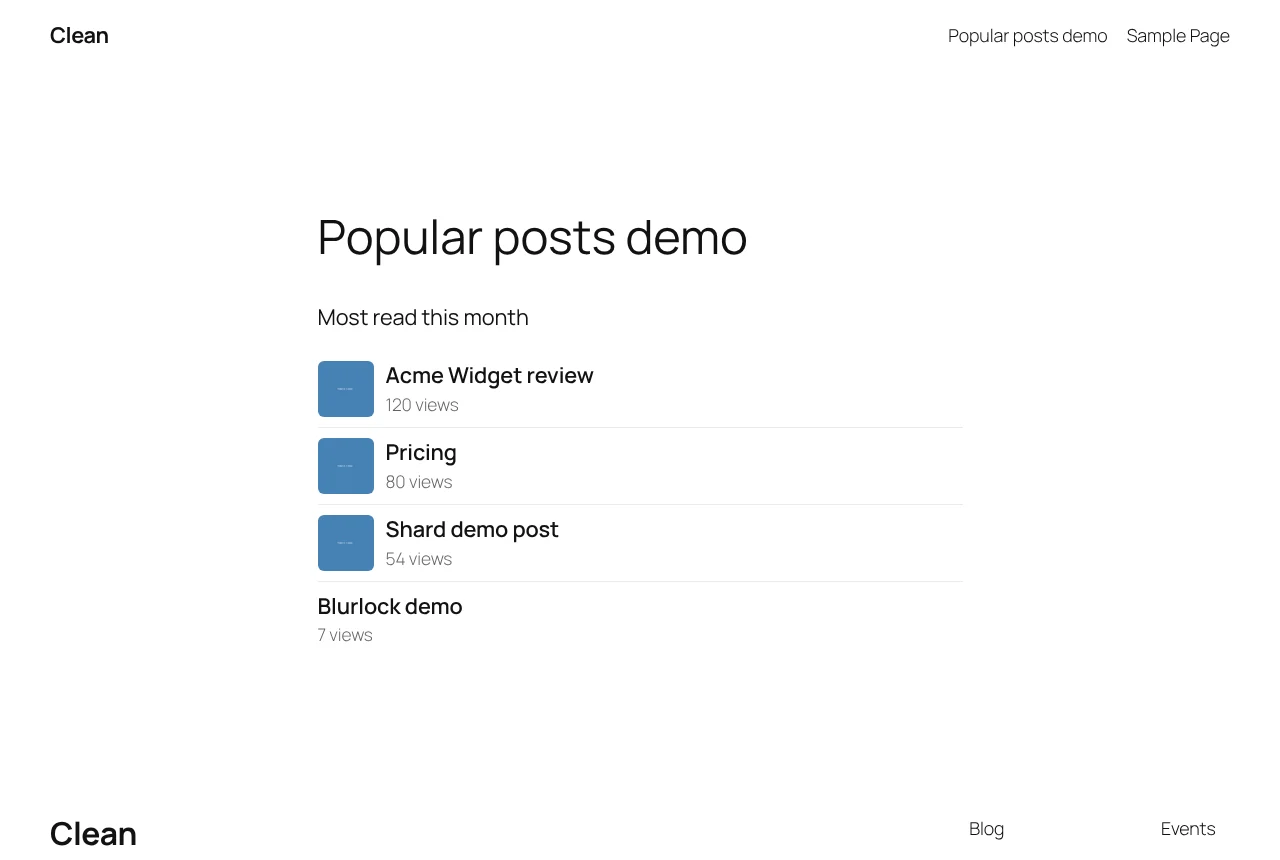
Shard: The popular posts block
The popular posts block.
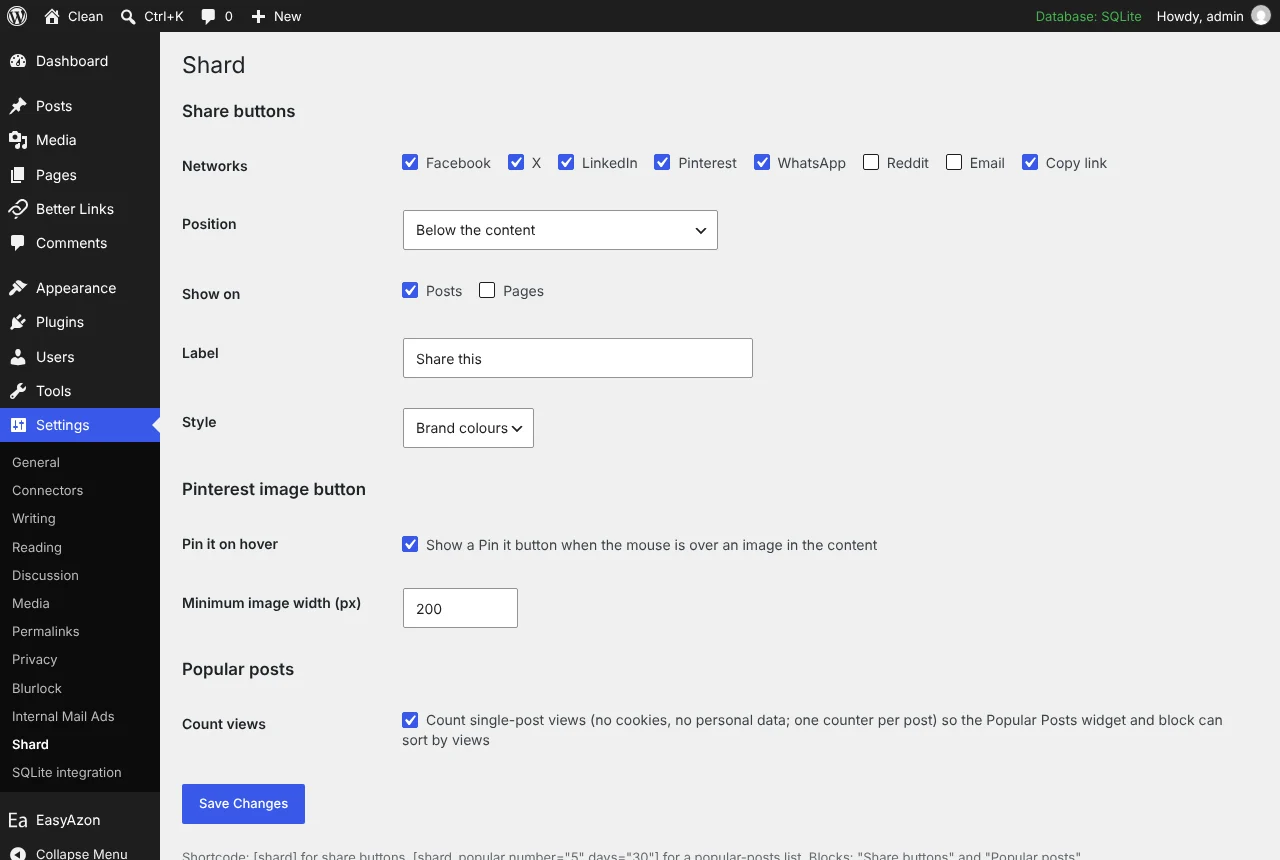
Shard: Shard settings page
Shard settings page.

Pin Button Sidebar lives on as the popular posts in Shard

October 2013. Pin Button Sidebar showed the featured images of your most popular posts in a sidebar that slid into view, each with a Pinterest button and a pin counter, and you could set a different sidebar for every page.

It depended on the pin counts, and when Pinterest stopped handing those out the social proof part stopped working. The animation also got old quickly. We did not try to revive it. Instead the useful half, a popular posts list, went into Shard 2.0, the single sharing plugin that replaced it, and that is the file on this page.

Shard counts views per post with a small counter, anonymous visitors on single posts only, no cookies and no personal data. That count feeds a Popular posts widget for classic sidebars, a block for the block editor and a [shard_popular] shortcode, with thumbnails, for all time or the last N days. Until views have been counted it lists the most commented posts instead, so a fresh install is never empty. One admission: the classic widget is the piece we have only checked by reading the code, because our test site was a block theme with no sidebars; the block and shortcode share its rendering code and were tested.

No animated sidebar, no pin counts. The Pinterest hover button from Pin Button Attraction is in the same plugin, on the images inside your posts.
// Installation

How to install Pin Button Sidebar

  1. 01

    Download the zip

    Download the zip from this page once you are logged in. Leave it zipped.

  2. 02

    Upload the plugin

    Plugins, Add New Plugin, Upload Plugin, pick the zip, Install Now.

  3. 03

    Activate

    Click Activate. Then pick the networks and where the buttons go in its settings. The Pinterest hover button and the popular posts widget are separate switches on the same screen.

  4. 04

    Keep it updated

    With Boost Updater installed, Pin Button Sidebar updates from Dashboard, Updates like any other plugin. Without it, come back here for the next version.

// Technical Details

Pin Button Sidebar specifications

// Version //2.3.1
// Last updated //Oct 28, 2026
// Developer //BoostWP
// Licence //GPL v2 or later
// Requires //None
// WordPress //5.8 or later
// PHP //7.4 or later
// FAQ

Pin Button Sidebar Questions

What people ask about Pin Button Sidebar before and after they install it.

Ask about Pin Button Sidebar
01Do I need a licence key for Pin Button Sidebar?

No key. Upload, activate, done. The only plugin here that asks for your account is Boost Updater.

02Where are the share counts?

There aren't any. The networks closed or restricted their count APIs years ago, so Shard doesn't pretend.

03Can I place the buttons myself?

Set Position to only where you place the shortcode or block, then use the Share buttons block or [shard].

04Is this the same file BoostWP releases?

It is. We build it, scan it and upload it to this page. Nothing gets added on the way.

05What happens to my settings on update?

They stay. WordPress keeps plugin settings in the database, and Pin Button Sidebar doesn't touch them when it updates.

06Where do updates come from?

This page, or Boost Updater if you install it. Free accounts see the new version here; members can install it from the dashboard.

Pin Button Sidebarv2.3.1 · 1,417 downloads
Download v2.3.1Login to download free