1. BoostWP Originals
  2. BoostWP
Link Updater free download
// Latest Version

Link Updater Free

5,508 downloads

Link Updater is for the afternoon you move domains, switch to HTTPS, change an affiliate link or rename a product page and then realise the old URL is in four hundred posts.

Download v2.0.5Login to download free
Built and maintained by BoostWP Auto-updates with Boost Updater Unlimited websites
// Version //2.0.5
// Updated //Jul 09, 2026
// Developer //BoostWP
// Report //Some issue
// Download

Free Download Link Updater v2.0.5 (Latest Version)

Log in with a free account and the Download button gives you the zip. It's the file we built, nothing changed.

// Changelog

What's New in Link Updater v2.0.5

v2.0.5Released Jul 09, 2026
  • ReleaseWe haven't written up the v2.0.5 notes yet. If you need to know what changed before you update, ask in a ticket.
// Screenshots

Link Updater on a real site

Taken on a plain WordPress install with the current version. Click one to open it full size.

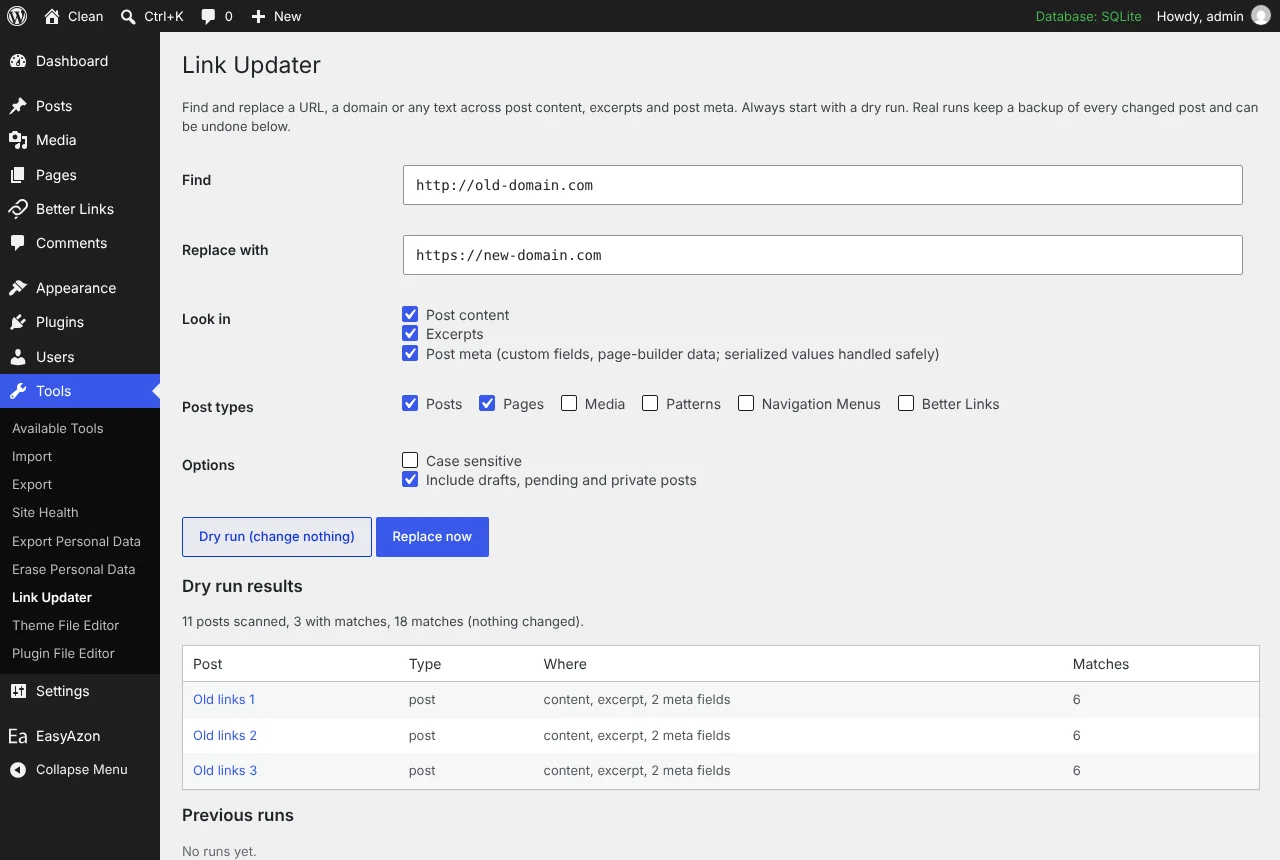
Link Updater: The dry run showing which posts would change
The dry run showing which posts would change.
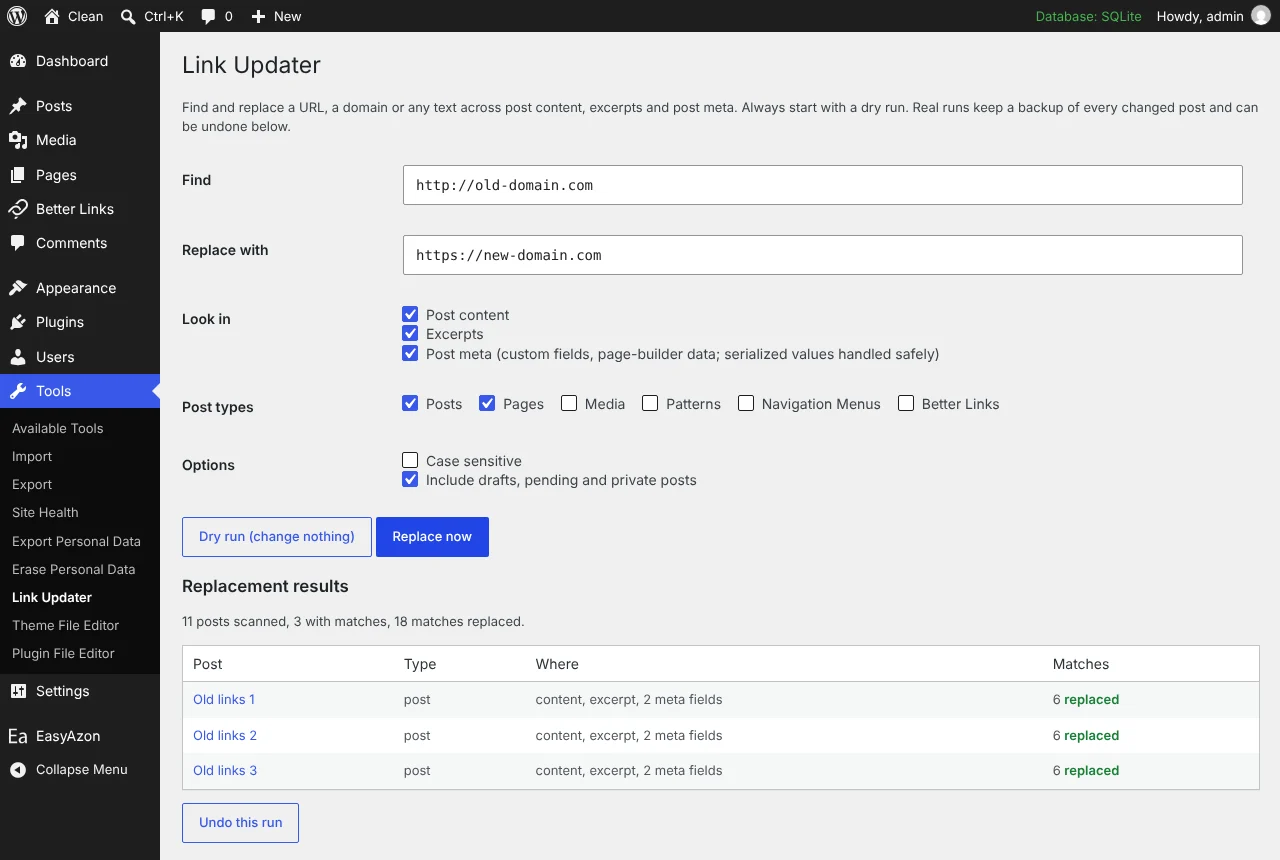
Link Updater: A real run with the undo button
A real run with the undo button.
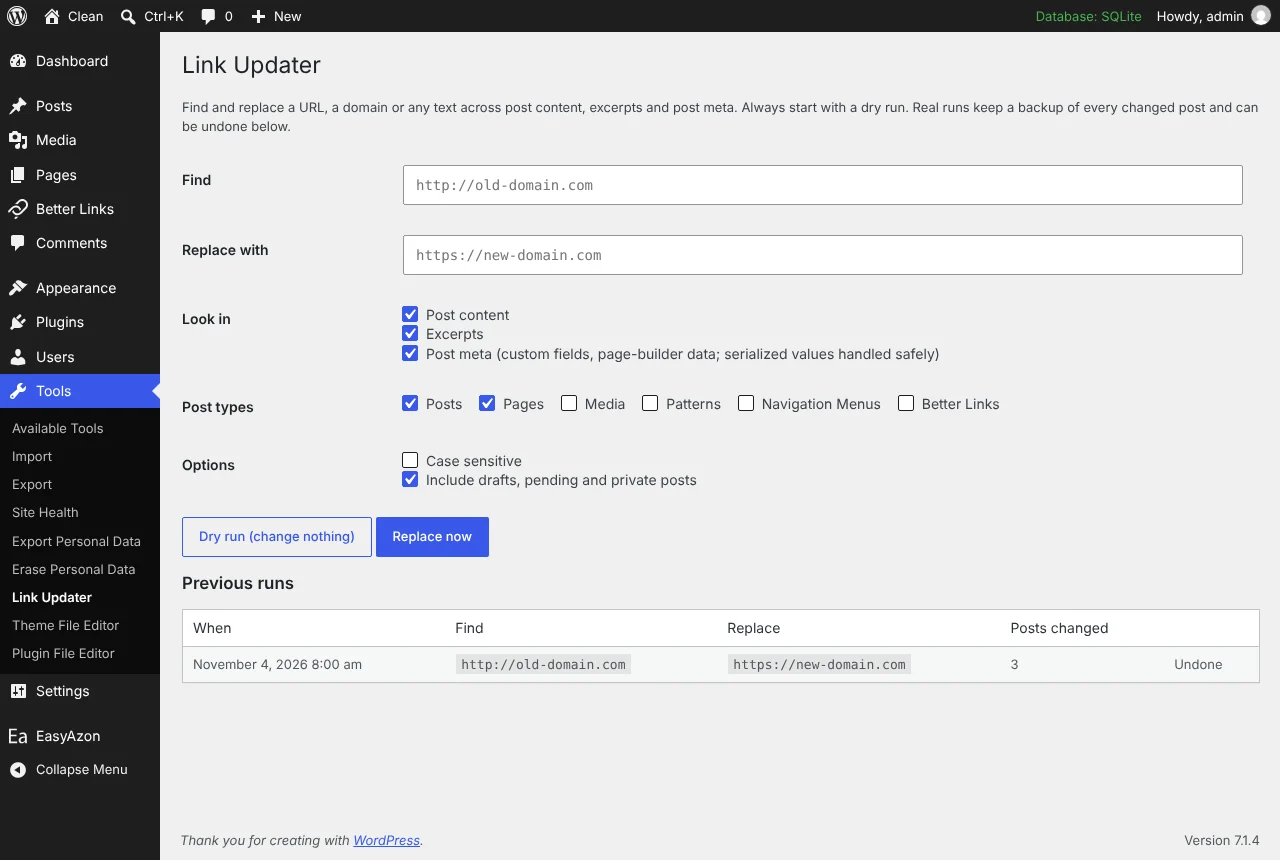
Link Updater: The run history with undo
The run history with undo.

Find and replace a URL across every post

Link Updater is for the afternoon you move domains, switch to HTTPS, change an affiliate link or rename a product page and then realise the old URL is in four hundred posts. It has been on this site since July 2013. The 2.0.0 release is a rebuild for WordPress 7 and PHP 8 that adds the two things we always wished the original had: a dry run and an undo.

Dry run first

Open Tools, Link Updater. Type what to find and what to replace it with, tick which post types to include, choose whether drafts, pending and private posts count, and whether the match is case sensitive. Then run a dry run. It lists every post that would change, with the post type, where the match is (content, excerpt or a named meta key) and how many matches it found. Nothing is written. When the list looks right, run it for real.

Posts are processed in batches of 40 by ascending ID, so a large site does not hit the PHP time limit. We only exercised that batching with eleven posts in testing, so if you have fifty thousand, take a backup first and tell us how it went.

Post meta and page builders

Most replace tools either skip post meta or corrupt it. Page builders store their layouts as serialized PHP arrays in meta, and a serialized string carries its own length, so a plain replace that changes “http://” to “https://” breaks every value it touches. Link Updater never edits a serialized string directly. Each value is unserialized, searched recursively through arrays and objects, replaced, and stored again through update_post_meta(), which re-serializes it with correct lengths. In testing, a nested URL inside an array was replaced while an unrelated URL in the same array was left alone.

The keys _edit_lock, _edit_last and the plugin’s own backups are skipped.

Backups and undo

A live run first creates a run record (ID, time, find, replace, post count). For each post it changes, it stores a _link_updater_backup meta holding the original content, excerpt and every changed meta value before anything is written. The content_save_pre filters are removed during the write, so your content comes back byte-identical apart from the replacement itself. Undo restores every post carrying that run’s ID and marks the run as undone. The last 20 runs sit in the run history, each with its own undo button.

What it leaves alone

  • Options, widgets and user data. This is deliberate; for a full database migration use a general search-replace tool
  • Anything outside post content, excerpts and post meta
  • Nothing leaves your server: administrators only, nonce-protected AJAX, no external requests

Our opinion: a tool that touches wp_options should be a different, scarier tool, and we would rather this one stay small enough that you trust it at three in the morning. Tested on WordPress 7.1.4 and PHP 8.3; needs WordPress 5.0 and PHP 7.4.

// Installation

How to install Link Updater

  1. 01

    Download the zip

    Log in, then Download. WordPress wants the zip as it is, so do not unzip it.

  2. 02

    Upload the plugin

    Plugins, Add New Plugin, Upload Plugin, pick the zip, Install Now.

  3. 03

    Activate

    Click Activate. Then run a dry run with the old and new URL before you let it change anything.

  4. 04

    Keep it updated

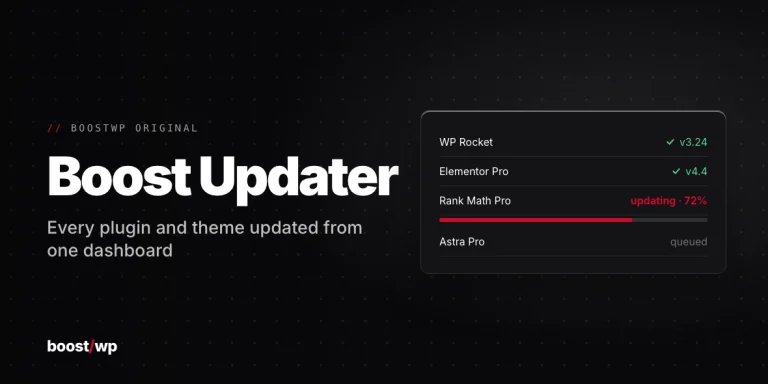
    With Boost Updater installed, Link Updater updates from Dashboard, Updates like any other plugin. Without it, come back here for the next version.

// Technical Details

Link Updater specifications

// Version //2.0.5
// Last updated //Jul 09, 2026
// Developer //BoostWP
// Licence //GPL v2 or later
// Requires //None
// WordPress //5.0 or later
// PHP //7.4 or later
// FAQ

Link Updater Questions

What people ask about Link Updater before and after they install it.

Ask about Link Updater
01What does the free account get me?

The current version of Link Updater and every other plugin here. Older versions and automatic updates are the membership part.

02Does it change options, widgets or users?

No. Posts only: content, excerpt and meta. For a whole-database move use a general search and replace tool.

03What about page builders that store data in meta?

Serialized meta is unserialized, searched, replaced and stored again, so the string lengths come out right.

04Can I put it on client sites?

Yes, and you don't have to tell us. The GPL has no site limit.

05Is the zip modified in any way?

No. It's the file we built, scanned for malware and uploaded as is.

06How will I know when Link Updater updates?

Turn on the bell on this page and we email you. Members with Boost Updater see it in the dashboard like any other update.

Link Updaterv2.0.5 · 5,508 downloads
Download v2.0.5Login to download free