1. BoostWP Originals
  2. BoostWP
Mapper free download
// Latest Version

Mapper Free

3,502 downloads

Some sites are organised by US state before they are organised by anything else: a directory of contractors, a guide to state hunting seasons, a summary of each state's rental law.

Download v2.0.4Login to download free
Built and maintained by BoostWP Auto-updates with Boost Updater Unlimited websites
// Version //2.0.4
// Updated //Aug 30, 2026
// Developer //BoostWP
// Report //Some issue
// Download

Free Download Mapper v2.0.4 (Latest Version)

Log in with a free account and the Download button gives you the zip. It's the file we built, nothing changed.

// Changelog

What's New in Mapper v2.0.4

v2.0.4Released Aug 30, 2026
  • ReleaseWe haven't written up the v2.0.4 notes yet. If you need to know what changed before you update, ask in a ticket.
// Screenshots

Mapper on a real site

Taken on a plain WordPress install with the current version. Click one to open it full size.

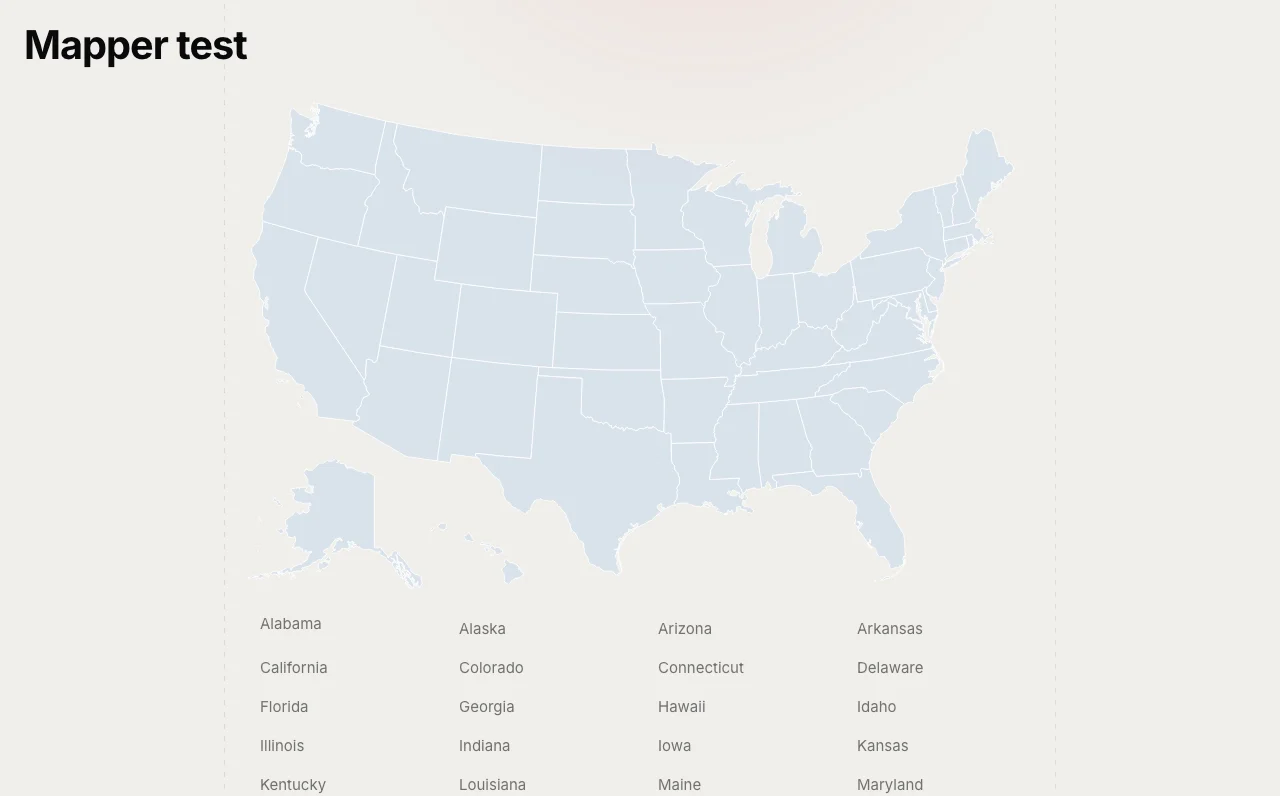
Mapper: The map on a page, with the link list under it
The map on a page, with the link list under it.
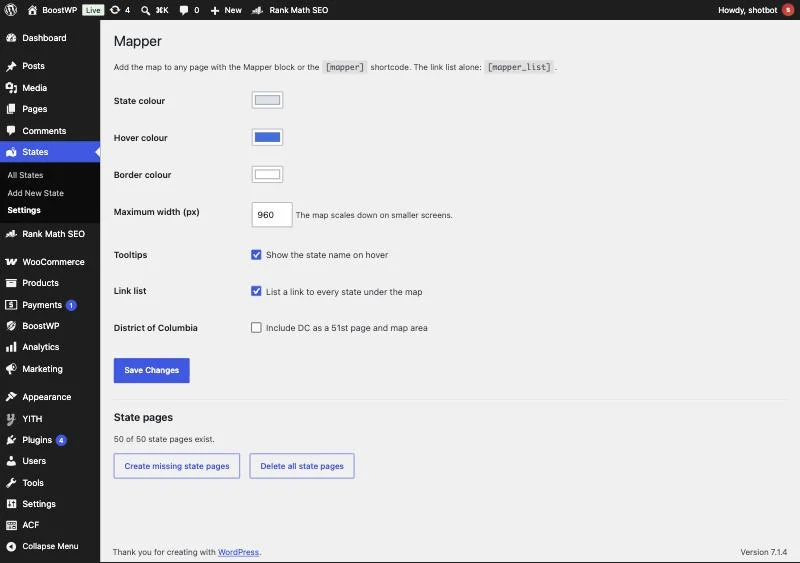
Mapper: States, Settings: colours, width, tooltip, link list and the state page tools
States, Settings: colours, width, tooltip, link list and the state page tools.
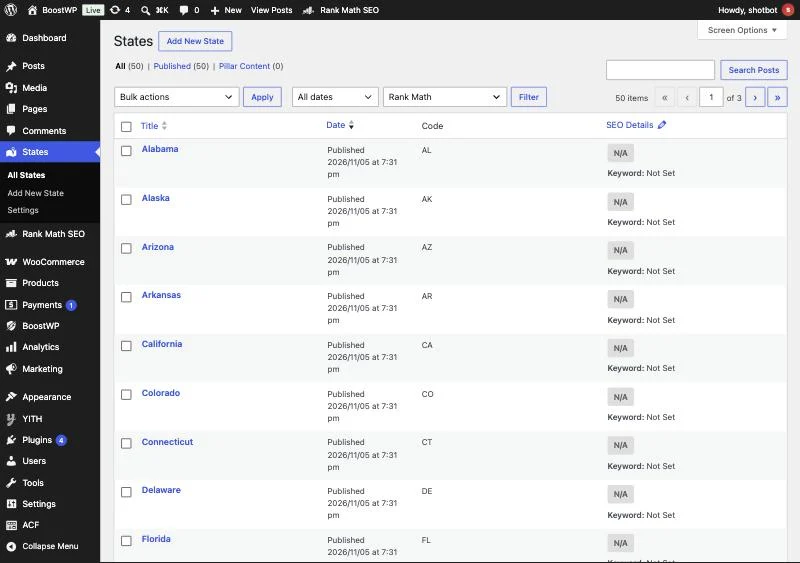
Mapper: The 50 state pages the plugin creates on activation
The 50 state pages the plugin creates on activation.

A clickable map of the fifty states

Some sites are organised by US state before they are organised by anything else: a directory of contractors, a guide to state hunting seasons, a summary of each state’s rental law. Mapper gives a site like that its skeleton. Activate it and you have a State post type with one page per state and an archive at /states/. Put the map on your home page and every state on it links to its page.

The original went on this site in July 2013. The original code did not survive, so the 2.0.0 download here is a clean build to the same feature list, for WordPress 6.2 and newer.

The map is real SVG

Each state is an SVG <path> wrapped in an <a> to its page, drawn inline in the page. No image file, no external request, sharp at any width. Alaska and Hawaii sit inset at the bottom left. Because the links are ordinary anchors, search engines follow them, and the alphabetical list underneath the map means visitors with no pointer and crawlers with no patience reach every page too. The outline data comes from the Wikimedia Commons blank US map by Heitordp, released CC0, so there is no licence to worry about.

JavaScript is used for one thing, the hover tooltip. Links, colours and the hover highlight all work with it off, and each path carries an SVG <title> so browsers show a native tooltip anyway.

Placing it

  • The Mapper block, with wide and full alignment
  • [mapper width="800" list="no" tooltip="yes"] anywhere a shortcode runs
  • [mapper_list] for the alphabetical link list on its own

State, hover and border colours, maximum width, tooltips and the link list are all set under States, Settings, and they are written to the wrapper as CSS custom properties, so a theme can override them without touching the plugin.

The state pages

The 50 pages are created once on activation and never duplicated. District of Columbia is optional. The map finds each page by a _mapper_code meta holding the two-letter code, not by title, so you can rename “Texas” to “Texas Contractors” and the link holds. Any State page with its map area set in the sidebar box is linked, which means you can delete the generated pages and use your own. There are “Create missing state pages” and “Delete all state pages” buttons on the settings screen; delete sends pages to the Trash, it never hard-deletes.

Limits

It is a map of the United States and nothing else. There is no county level, no Canada, no world map, and we are not planning one. Settings are sanitised (hex colours, bounded width), the create and delete actions post through admin-post.php with nonces and need manage_options, and all output is escaped. Tested on WordPress 7.1 with PHP 7.4 and newer.

// Installation

How to install Mapper

  1. 01

    Download the zip

    Download the zip from this page once you are logged in. Leave it zipped.

  2. 02

    Upload the plugin

    Plugins, Add New Plugin, Upload Plugin, pick the zip, Install Now.

  3. 03

    Activate

    Click Activate. The 50 state pages are created on activation; colours and size are under States, Settings.

  4. 04

    Keep it updated

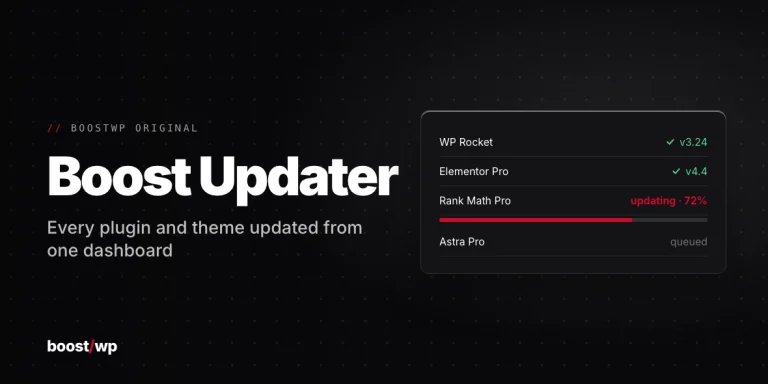
    With Boost Updater installed, Mapper updates from Dashboard, Updates like any other plugin. Without it, come back here for the next version.

// Technical Details

Mapper specifications

// Version //2.0.4
// Last updated //Aug 30, 2026
// Developer //BoostWP
// Licence //GPL v2 or later
// Requires //None
// WordPress //6.2 or later
// PHP //7.4 or later
// FAQ

Mapper Questions

What people ask about Mapper before and after they install it.

Ask about Mapper
01Is Mapper free to download here?

Yes. Make a free account and download it. Membership adds updates as they ship, older versions and priority support.

02Can I use my own state pages?

Yes. Any State page with a map area set in its sidebar box is linked from the map.

03Does the map need JavaScript?

Only for the hover tooltip. Links, colours and the hover highlight work without it.

04Will updating delete my settings?

No. Settings live in the database, not in the plugin files. A backup before a big update is still a good habit.

05Can I use it on more than one website?

As many as you like. It's GPL, so your own sites and your clients' sites are all fine.

06Where do updates come from?

This page, or Boost Updater if you install it. Free accounts see the new version here; members can install it from the dashboard.

Mapperv2.0.4 · 3,502 downloads
Download v2.0.4Login to download free