1. BoostWP Originals
  2. BoostWP
Boost Updater free download
// Latest Version

Boost Updater Free

15,383 downloads

Every plugin you download from this site needs updating eventually, and wordpress.org is not where ours live.

Download v3.5.1Login to download free
Built and maintained by BoostWP Auto-updates with Boost Updater Unlimited websites
// Version //3.5.1
// Updated //Nov 07, 2026
// Developer //BoostWP
// Report //Some issue
// Download

Free Download Boost Updater v3.5.1 (Latest Version)

Log in with a free account and the Download button gives you the zip. It's the file we built, nothing changed.

// Changelog

What's New in Boost Updater v3.5.1

v3.5.1Released Nov 07, 2026
  • ReleaseWe haven't written up the v3.5.1 notes yet. If you need to know what changed before you update, ask in a ticket.
// Screenshots

Boost Updater on a real site

Taken on a plain WordPress install with the current version. Click one to open it full size.

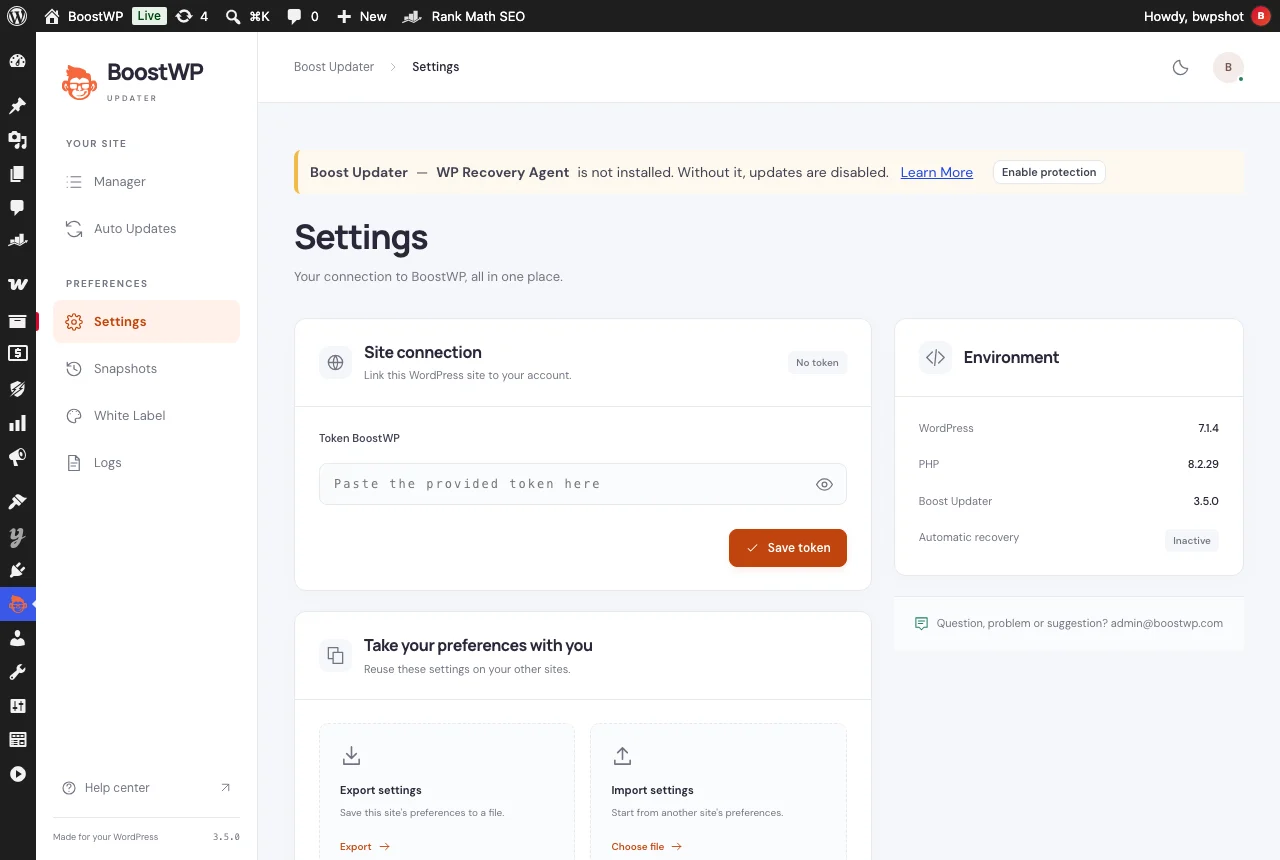
Boost Updater: Settings: paste the account token once to link the site to BoostWP
Settings: paste the account token once to link the site to BoostWP.
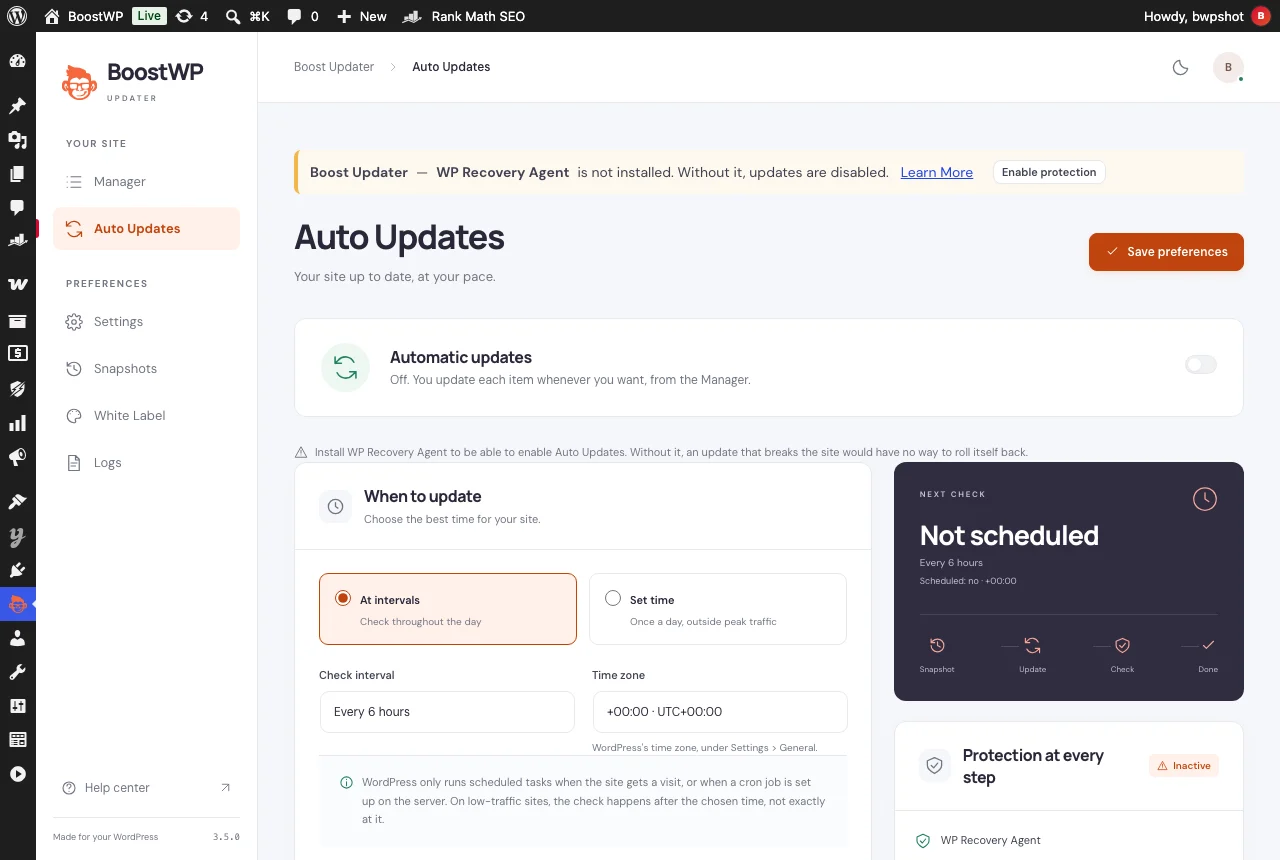
Boost Updater: Auto Updates: run updates at intervals or at a set time, with a snapshot before each step
Auto Updates: run updates at intervals or at a set time, with a snapshot before each step.

Updates for BoostWP plugins inside your dashboard

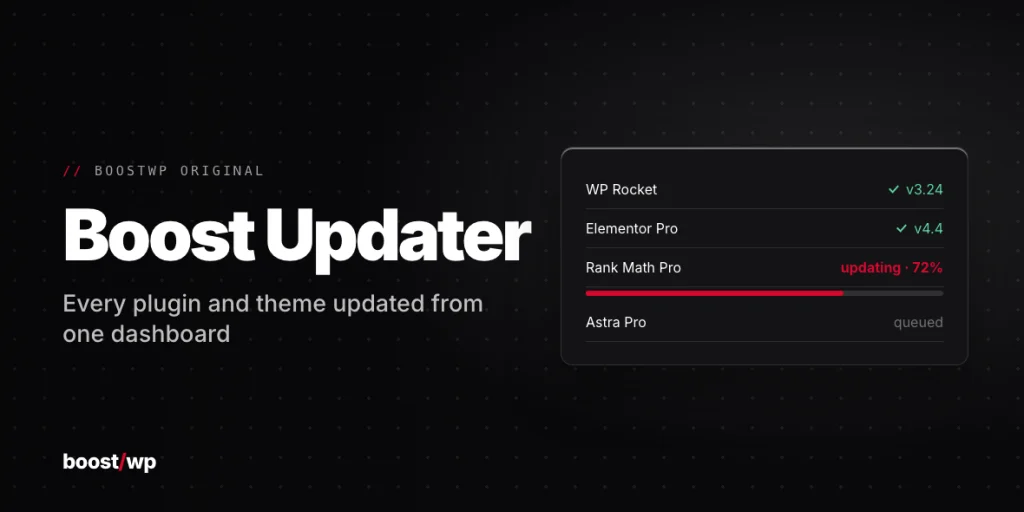
Every plugin you download from this site needs updating eventually, and wordpress.org is not where ours live. Boost Updater closes that gap. Install it, paste the token from your account on its Settings screen under Site connection, and from then on it checks for new versions of the BoostWP plugins on that site and lists them under Dashboard, Updates. It has done that job since July 2013; 3.x is the current line and 3.5.0 is the build on this page.

The Manager

The Manager screen is a table of the items it looks after, filtered by all, with an update waiting or already current. Click a row for the details and earlier versions of that item. Tick several rows and Update selected runs them as a queue, one at a time; the button spins while each one installs and turns green when done.

Auto Updates

You can let it run on its own, every so many hours or at a fixed time of day, with a ceiling on items per run so a long list becomes a queue that moves by itself. Beta, alpha and rc versions can be left out. The plugin updates itself as the last step of each cycle, with a switch to turn only that part off. A confession about the 3.4 releases: that screen said it had saved the ceiling, the schedule and the pre-release switch, and kept the old values. 3.5.0 fixes it.

Snapshots and recovery

Before an item is updated the previous version is saved, and if the site answers with an error afterwards it is put back. The site is read once before the run, so a fault that was already there is not blamed on the update. The optional WP Recovery Agent adds an auto-repair mode; it has to be enabled before updates run, and if it cannot be installed the notice says why instead of reloading as if it had worked.

White Label and Logs

If you manage sites for clients, White Label removes the BoostWP branding from the panel, puts your logo, link and colours on the login screen and admin bar, and can hide whole screens from the client. Logs keeps a timeline of updates, restored versions, automatic recoveries and settings changes and can turn a month or the last 7 or 30 days into a report ready to print or save as PDF.

Small print

Multisite is supported, and update packages are only accepted from known hosts (your own CDN goes through the bwpu_package_hosts filter). The screens are translated into English and Spanish only; other languages fall back to English. Needs WordPress 6.0.3 and PHP 7.4, tested up to WordPress 7.0. With a free account you download the current version of each plugin from this site yourself; automatic updates and Boost Updater on every site come with membership.


// Installation

How to install Boost Updater

  1. 01

    Download the zip

    Log in, then Download. WordPress wants the zip as it is, so do not unzip it.

  2. 02

    Upload the plugin

    Plugins, Add New Plugin, Upload Plugin, pick the zip, Install Now.

  3. 03

    Activate

    Click Activate. Then paste your account key from My Account so it knows which plugins you can update.

  4. 04

    Keep it updated

    With Boost Updater installed, Boost Updater updates from Dashboard, Updates like any other plugin. Without it, come back here for the next version.

// Technical Details

Boost Updater specifications

// Version //3.5.1
// Last updated //Nov 07, 2026
// Developer //BoostWP
// Licence //GPL v2 or later
// Requires //None
// WordPress //6.0.3 or later
// PHP //7.4 or later
// FAQ

Boost Updater Questions

What people ask about Boost Updater before and after they install it.

Ask about Boost Updater
01Do I need a licence key for Boost Updater?

No key. Upload, activate, done. The only plugin here that asks for your account is Boost Updater.

02What does Boost Updater actually do?

It checks for new versions of the BoostWP plugins installed on your site and offers them under Dashboard, Updates like any other plugin.

03Does it update other plugins too?

No. It only knows about ours. WordPress keeps handling the rest.

04Is this the same file BoostWP releases?

It is. We build it, scan it and upload it to this page. Nothing gets added on the way.

05What happens to my settings on update?

They stay. WordPress keeps plugin settings in the database, and Boost Updater doesn't touch them when it updates.

06How will I know when Boost Updater updates?

Turn on the bell on this page and we email you. Members with Boost Updater see it in the dashboard like any other update.

Boost Updaterv3.5.1 · 15,383 downloads
Download v3.5.1Login to download free